How to Use the Hostinger Discount Coupon
Steps to redeem the coupon
- Click on Get Offer button from coupon card on homepage or below at this page. (No Code Required)
- Select a Hosting Plan that suits your needs.
- Add the Hosting Plan to Cart.
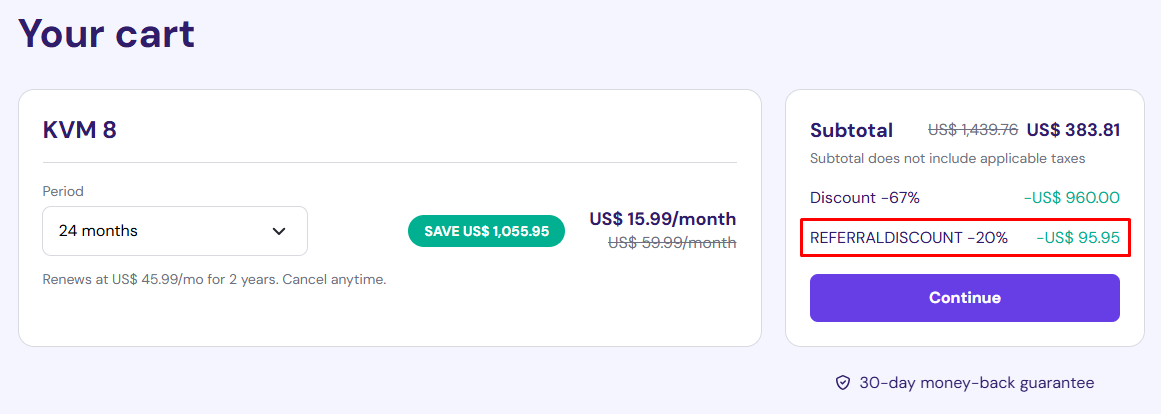
- On cart verify 20% Plan Discount applied as bellow Screenshot.
- Continue and Complete New Account Registration.
- Make a Payment to enjoy your discounted hosting.
Check Video for Steps to redeem the coupon
Hostinger Coupon Notes
- Extra 20% Discount Applicable on new account only
- Extra 20% Discount Applicable on yearly hosting plan. ( Not on One Month Plan )
Recommended: Hostinger offers a variety of hosting plans, including Shared Hosting, Cloud Hosting, WordPress Hosting, VPS Hosting, Managed WooCommerce Hosting.